



In surveys, assessments, and feedback forms, questions are everything. That said, not all questions are created equal. When precision, consistency, and actionable data are top priorities, closed questions (aka closed-ended questions) shine.
So, what are closed questions, and why are they used so widely? How do they compare with open-ended questions? In this guide, we’ll walk you through:
- What closed questions are (with clear definitions)
- The different types of closed questions
- Examples of closed questions used in real-world scenarios
- Best practices for writing them
- Common pitfalls to avoid
- How they stack up in the open vs. closed questions debate
Let’s dive into more detail!
What Are Closed Questions?
Imagine asking someone how their day went. You’ll get a variety of responses with some helpful, and some not.
Now, imagine asking: “Did you attend today’s meeting?” Yes or No.
That’s a closed question.
Closed questions are questions that limit a respondent’s answer to a predefined set of options. These can be as simple as “Yes” or “No,” or as structured as a multiple-choice question with several fixed responses.
In contrast to open-ended questions, which allow people to respond in their own words, closed questions ensure responses are easy to analyze, compare, and quantify.
If you’re building a customer feedback form or designing a large-scale academic survey, using closed questions can streamline data collection and keep things measurable.
Why Closed Questions Are Used in Assessments
Closed questions are a favorite in assessments and forms for a few very good reasons:
1. Easy to Analyze
With fixed answers, responses can be grouped, charted, and compared. There is no need to interpret long text entries; just review the numbers and categories ready for analysis.
2. Efficient for Respondents
Time is precious, and closed questions let people zip through forms without getting stuck. That’s why they’re ideal in surveys, intake forms, and quick check-ins. Respondents don’t have to guess what kind of answer is expected.
3. Built for Automation
Closed questions help power automated scoring, conditional logic, and dynamic workflows that adjust based on user input.
Types of Closed Questions
Closed questions come in multiple types. Let’s break down the most common ones below:
Yes/No Questions
These are the simplest form of closed questions. They’re binary and quick to answer.
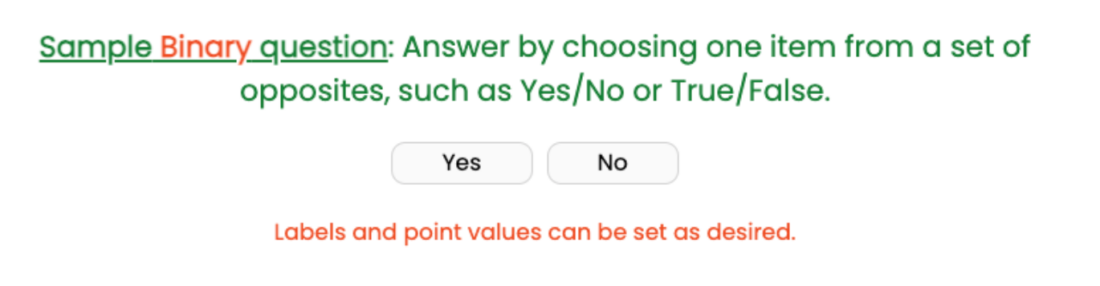
Some examples of these include:
- Have you completed the onboarding training?
- Are you over 18 years of age?
- Did you receive your login credentials?
When to Use:
- Screening or eligibility
- Confirming facts
Limitations:
Yes/No questions may oversimplify complex topics or leave out important context. Not everything is so black and white.
Multiple Choice Questions
These offer several fixed answer options (usually 3-5), and respondents select the most appropriate one.

Examples include:
- What is your preferred mode of communication?
- Phone
- Text
- In-app notifications
Best Practices:
- Make choices mutually exclusive
- Avoid overlapping or vague categories
- Be careful with use of “Other” as an option
Rating Scale Questions
These are often used to measure satisfaction, agreement, or frequency, and can capture intensity or sentiment. They’re easy to visualize in dashboards and reports.
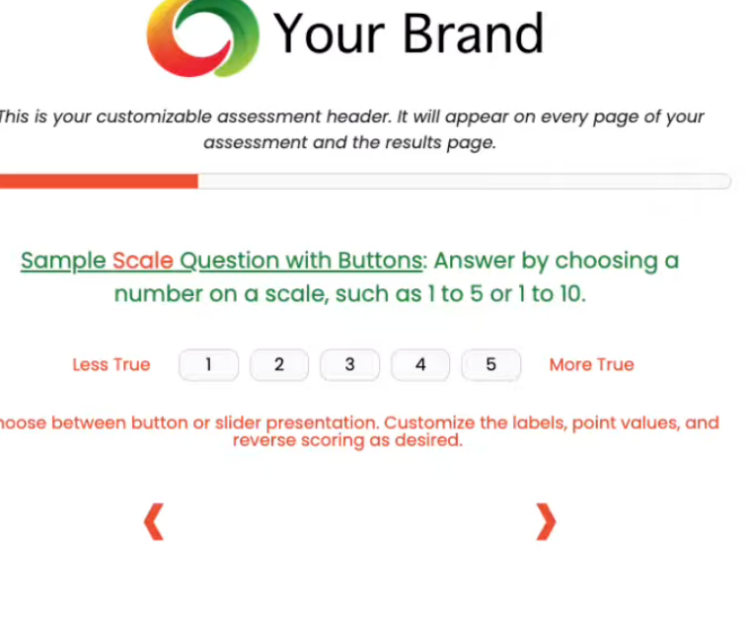
Types:
- Likert scales (Strongly agree to Strongly disagree)
- Numeric scales (Rate from 1 to 10)
Examples:
- How satisfied are you with the support team?
- 1 (Not satisfied) to 5 (Very satisfied)
Use Cases:
- Customer feedback
- Internal performance reviews
Ranking Questions
These questions ask users to order items by preference, importance, or priority. This is useful when priorities matter, but be careful that the list isn’t too long.

Example:
- Rank the following features based on importance:
- Speed
- Price
- Customization
- Support
Challenges:
- Harder to analyze than single-answer questions
- Can be confusing if too many items are listed, or the list is too long
Dichotomous Questions
These are a specific subset of Yes/No questions that provide two opposing choices, with no gray area.
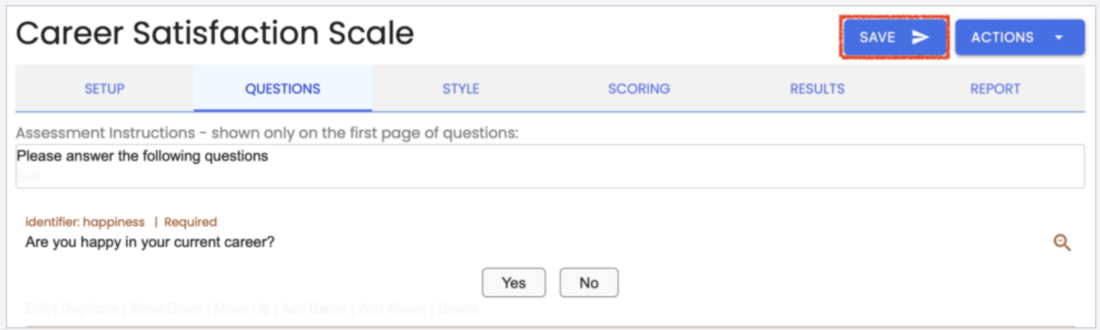
Examples:
- True/False
- Agree/Disagree
These are useful when you’re evaluating clear-cut decisions or binary beliefs. They’re especially useful in quizzes, compliance checks, and forms where clarity is a must.
Closed Questions Examples
Let’s walk through a few concrete examples of closed questions across different formats.
Example 1: Yes / No Closed Question
Q: Have you submitted the updated report?
- Yes
- No
Example 2: Multiple Choice Closed Question
Q: What best describes your role in the company?
- Manager
- Individual Contributor
- Executive
- Intern
Example 3: Rating Scale Closed Question
Q: How likely are you to recommend our product to a friend?
- 0 (Not likely) to 10 (Extremely likely)
Example 4: Ranking Closed Question
Q: Please rank these software features in order of importance:
- Security
- User Interface
- Integrations
- Customer Support
Open vs. Closed Questions: What’s the Difference?
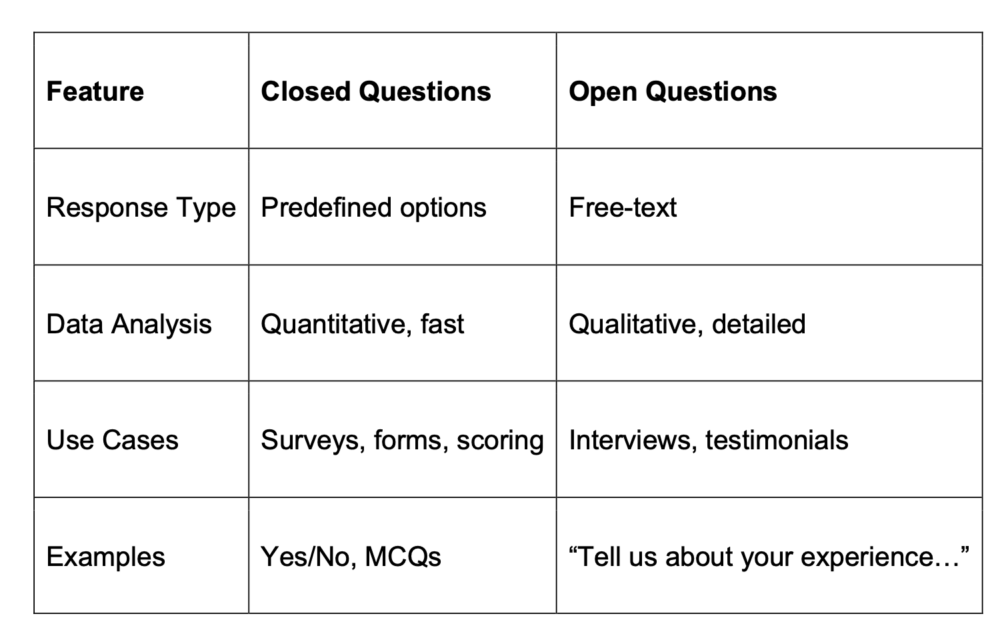
As you can see above, it’s best to use closed questions when:
- You need measurable, scalable data
- You’re comparing responses across a population
- You want to automate or visualize responses
It’s best to use open questions when:
- You want insights, not just metrics
- You’re exploring new ideas or feedback
- You want to uncover the “why” behind answers
When to Use Closed Questions
Closed questions are quietly doing heavy lifting in countless day-to-day workflows. Whether you’re streamlining employee onboarding, qualifying leads, or setting up a smart automation system, closed questions help create structure, save time, and drive smarter decisions.
Let’s take a look at a few common scenarios where closed-ended questions prove especially useful.
Screening and Intake
Think about the first time a customer fills out your form or a new hire enters your HR system. You don’t need a full essay; you just need quick, factual answers to route them properly.
This is where closed questions become your best friend.
They help identify who’s eligible, who needs extra help, or which pathway to send someone down, all without a single open text box.
Example Questions:
- Are you a current customer?
- Do you work in the tech industry?
These yes/no or multiple-choice formats can instantly qualify (or disqualify) someone for a product demo, special pricing, or even compliance requirements. They’re fast, easy to answer, and perfect for the top of a form funnel.
Measurement and Scoring
Let’s imagine you’re trying to evaluate employee productivity, customer satisfaction, or training effectiveness. You’ll want to measure something in a way that’s reliable and repeatable.
Closed questions allow you to assign scores, track patterns over time, and feed data directly into performance dashboards or KPIs.
Example Question:
- Rate your productivity this week on a scale from 1-5.
With a structured format like this, every response is quantifiable. That means better analytics, easier benchmarking, and more objective evaluations.
Automation and Reporting
Here’s where things get really interesting, especially if you’re using a platform like Agolix® that supports logic-based workflows.
Closed questions can serve as triggers inside automated systems. Based on someone’s answer, the system can:
- Route them to the right team
- Assign a specific task
- Trigger an email follow-up
- Segment users into the correct group
Example Question:
- Which department are you in?
Behind the scenes, that one closed question could decide whether a user sees marketing content, sales onboarding, or engineering support. It’s smart, scalable, and efficient.
These everyday examples show that closed questions aren’t just a survey design choice; they’re a core component of better systems, smarter automation, and faster insights. They help you ask the right questions in the right way, so you can get the data that actually moves your work forward.
Best Practices for Writing Effective Closed Questions
Writing effective closed questions might seem straightforward, but getting them right takes a bit of thought. A well-phrased question can lead to clean, actionable data. A poorly written one? It might leave your respondents confused and your insights muddy.
Here are some best practices to help you write the most effective closed questions for your business:
- Keep language clear and simple: You’re not writing a legal contract; you’re asking for quick, easy responses. Every word should help the respondent understand exactly what you’re asking.
- Make sure options are mutually exclusive: Next, think about your answer choices. They need to be mutually exclusive, meaning no overlap. If someone could reasonably select two or more options that feel the same, it’s time to revise. For example, if you ask about company size, don’t offer “1-10” and “10-50” as separate choices. Where does someone with exactly 10 employees go?
- Use neutral wording to avoid bias: Your goal isn’t to influence the answer, but to get an honest one. Question phrasing like “How amazing was your experience?” pushes people toward a certain response, and can skew your data.
- Add an “Other” option only when truly needed: If your target audience is likely to fall outside your listed choices, include it. But don’t rely on “other” as a substitute for thoughtful response design.
- Match the question type to the data you need: Don’t force a multiple-choice question if a rating scale will give you better feedback. It’s all about aligning form with function.
Common Mistakes to Avoid With Closed Questions
Even experienced survey creators make mistakes, and these small slip-ups can dramatically affect the quality of your data. Here are some of the biggest culprits, and how to avoid them:
- Overlapping answer options: If respondents can’t tell the difference between choices or could select more than one that fits, your data becomes unreliable.
- Forcing yes/no responses: When a topic calls for more nuance. Not every question has a binary answer. Take “Do you understand the new system?” Someone might sort of understand it, or feel uncertain. A yes/no format leaves them without a comfortable option, and your data misses the mark.
- Using vague or subjective terms: Terms like “often,” “rarely,” or “a lot” are also problematic. They mean different things to different people. What feels “frequent” to one person may feel “occasional” to another. Instead, anchor your language in specifics, like “2-3 times per week.”
- Overusing binary questions: Yes/No question formats are fast, sure. But when used too often, they limit the depth of your insight. Not everything is black or white, and sometimes, a scale or multiple-choice format gives you richer data.
- Ignoring the user’s experience and perspective: Don’t forget the human on the other side of the screen! Consider the experience from their point of view. Are your questions easy to understand? Are the choices clear and respectful of their situation? Good design isn’t just about collecting data, but about doing it in a way that values your respondent’s time and perspective.
How Closed Questions Improve Assessment Data Quality
Let’s take a step back for a moment and think of the bigger picture. Beyond their ease and efficiency, why do closed questions really matter? What makes them so powerful, not just convenient?
It all comes down to data quality.
When your goal is to gather information you can actually trust and act on, structure is everything. Closed questions provide that structure. They make it possible to collect consistent responses, even when different people are answering in different environments or at different times. You’re comparing apples to apples, not trying to interpret five different versions of “maybe.”
They also help you spot trends and measure progress. When responses are standardized, like a rating from 1 to 5, you can track shifts in sentiment or performance over time. That’s incredibly useful for things like employee pulse checks, customer satisfaction benchmarks, or course feedback metrics.
And here’s the kicker: with closed questions, there’s less room for misinterpretation. You’re not guessing what someone meant. You’re working with clear, categorical data that feeds directly into dashboards, reports, and decisions.
So, whether you’re designing a quick post-purchase survey or managing quarterly team reviews, closed questions give you data that’s not just usable, but reliable. That’s the real value.
Choosing the Right Question Type Matters
At the end of the day, asking questions is easy. It’s asking the right ones that takes strategy. Closed questions aren’t always the best tool, but when they are the right fit, they can transform your process.
The next time you’re building a feedback form, designing a survey, or setting up a self-assessment tool, pause and ask yourself: “Can a closed question get me the data I need?”
If the answer is yes, you’re not just asking questions: you’re designing for clarity, efficiency, and impact.
Get started here today to create your own closed-ended questions with Agolix®!