

Distribute your 360° #
There are two ways to distribute your 360° to your subjects and evaluators:
- Send an intake form (provided by Agolix) to your subject(s). Your subjects self-register for the 360° process, entering their evaluators for each of the roles you defined in your workflow.
- Alternatively, you can create the subjects and evaluators yourself from within your account. Agolix still handles sending invitations and reminders, and generating the final 360° report.
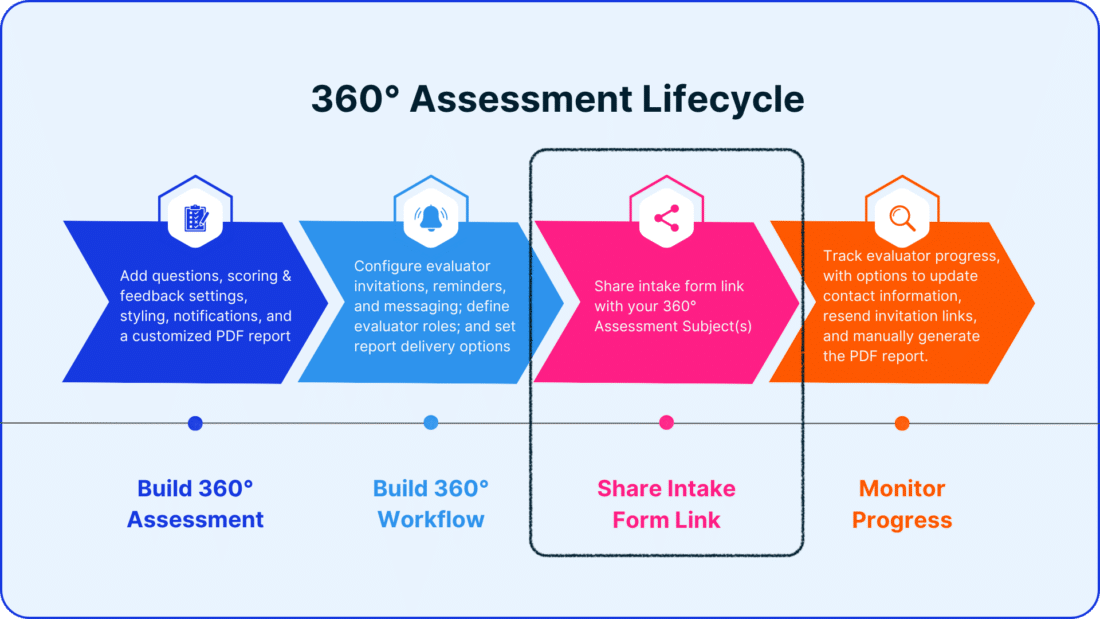
In this guide, we’ll focus on sharing your Intake Form link. If you’d prefer to create subjects and evaluators yourself, click here.
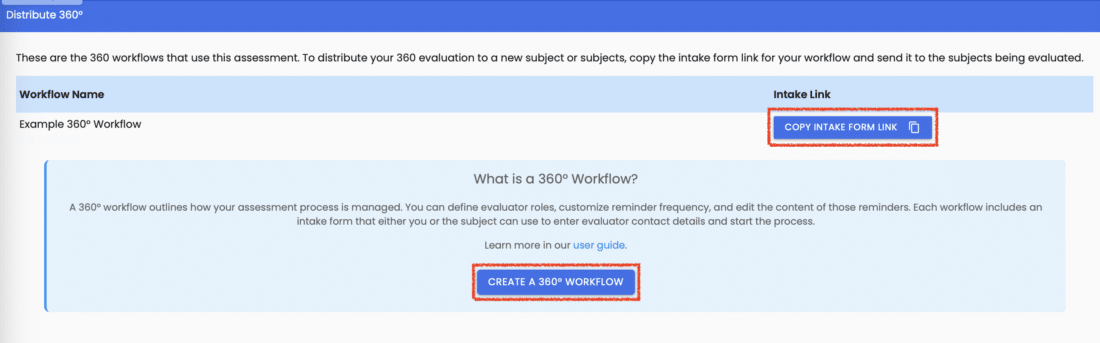
From the main Assessment page, click on the Actions Menu, select the Distribute 360° link, find the workflow you want, and click “Copy Intake Form Link.”

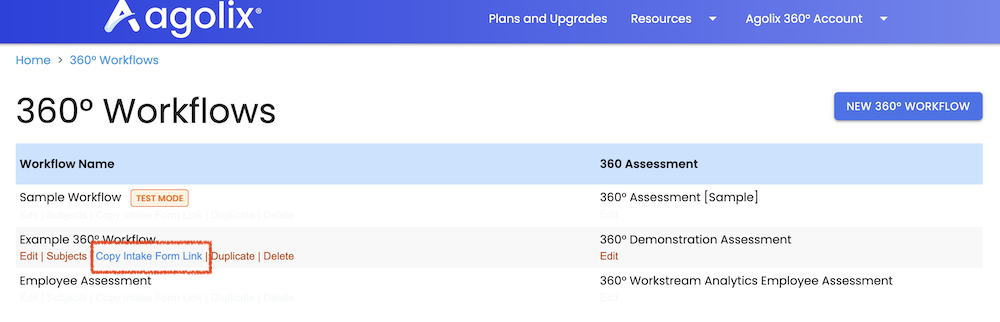
Or you can click 360° Workflows in the menu showing your name in the upper right corner of your screen. This will show all of your 360° workflow. Mouse over a workflow to expose it’s “Copy Intake Form” link:
Share this link with your Subjects to kick off the 360° evaluation process.
The 360° Evaluation Process #
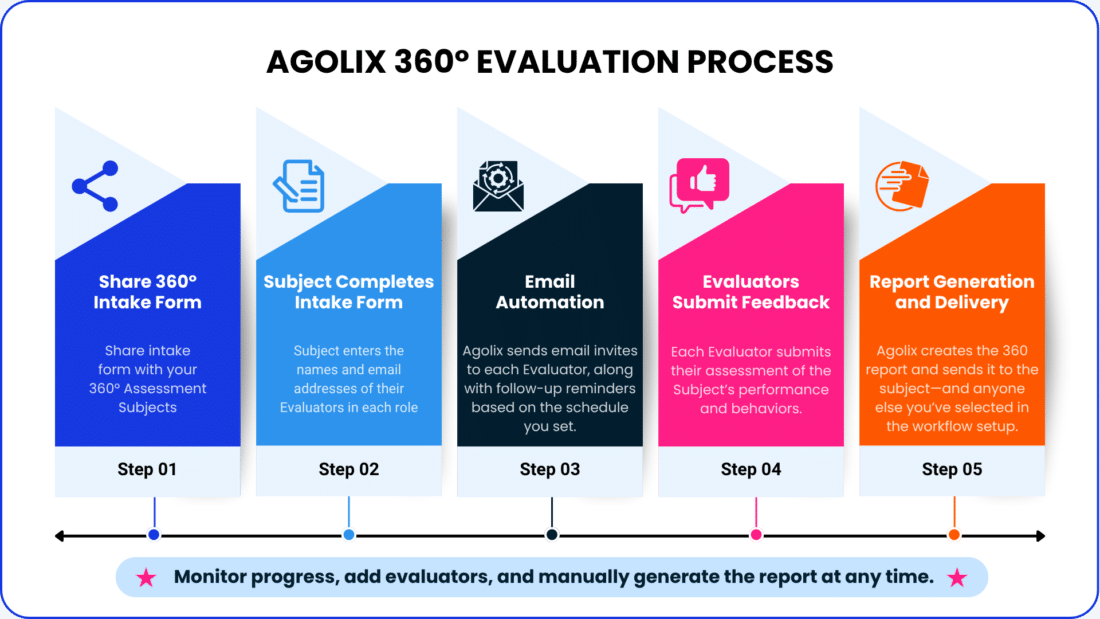
The 360° Assessment process begins when you send the intake form link to the subject. The subject enters their name, email address, and the contact information of the evaluators for each role—such as peers, direct reports, or supervisors.
Once submitted, Agolix takes it from there. The platform automatically sends personalized email invitations to each evaluator, along with gentle reminder emails based on your settings.
Evaluators complete their assessments of the subject, providing valuable, role-based feedback. When the evaluations are in, Agolix generates a detailed 360° report and delivers it to the subject and any additional recipients you’ve specified in the workflow setup.
Throughout the process, the Agolix account holder can monitor progress, add evaluators if needed, and manually trigger report generation at any time.
Take a look at the diagram below for a step-by-step visual of the process.
Please review the rest of the Reference Guide to learn more about our software.
Thank you for choosing Agolix!